A Claude Project and Claude Cowork sound like they might be the same feature with two names. They're not. A Project is a workspace where you upload documents and have focused conversations. Cowork is a different mode entirely: instead of talking back, Claude reads, writes, and edits files directly in folders you connect on your computer, and hands you finished work instead of an answer.
There's also a third piece worth knowing about: Cowork has its own "Projects" feature for organizing recurring tasks around a folder, which is easy to confuse with a Claude Project in Chat. Here's how all three fit together, and which one to reach for.
The quick answer
- Claude Project (in Chat): a workspace with its own knowledge base. You upload documents, set instructions, and Claude answers based on what you gave it. It never touches your computer.
- Claude Cowork: an agentic mode, available on paid plans, where Claude reads, writes, and edits files in folders you connect on your desktop, browses the web, and runs code to complete a task end to end.
- A Cowork Project: a saved workspace inside Cowork built around a specific folder on your computer, with its own instructions, scheduled tasks, and memory. It's the local, task-running equivalent of a Chat Project.
Claude Projects: a workspace with a memory of its own documents
Projects are available to every Claude user, including free accounts (capped at five projects). Each one is a self-contained workspace with its own chat history and knowledge base: you upload documents, text, or code, and set project instructions that shape how Claude responds in every chat inside that project, like telling it to answer in a specific tone or from a specific role.
On paid plans, project knowledge scales automatically through Retrieval Augmented Generation, expanding capacity up to 10x when your uploaded content gets close to the context limit. Team and Enterprise plans add sharing: projects can be made viewable or editable by specific teammates or the whole organization.
What a Project can't do is touch anything on your computer. Everything lives inside claude.ai. You upload a document, Claude reads it there, and any output comes back as a chat message or an artifact you copy out yourself.
Claude Cowork: when you want Claude to do the task, not describe it
Claude Cowork is a separate product from Chat, sitting right next to it in the interface. Anthropic's own comparison is direct: "in regular chat, Claude responds to your messages but can't access your files directly. In Cowork, Claude has permission to read, edit, and create files in folders you specify, so it can actually complete tasks rather than just describe how to do them."
That's the real difference. Give Cowork a goal, like organizing a folder of contracts or building a weekly metrics deck from a set of exported files, and it works across your files and tools, showing each step as it goes, and hands you back a finished document for review. Cowork requires a paid plan (Pro, Max, Team, or Enterprise); it isn't available on the free tier.
Connecting a folder on your computer: how it works
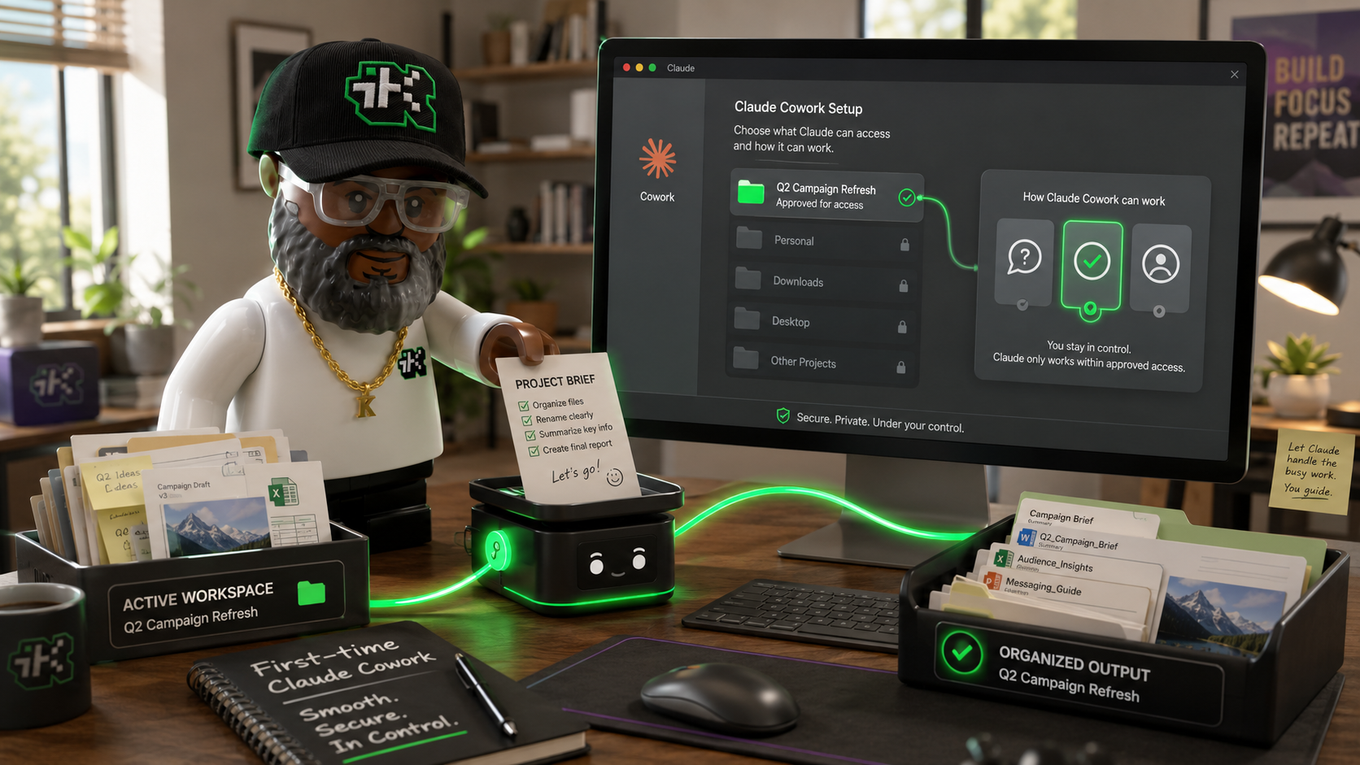
This is the part most people get wrong: Cowork sessions run remotely, in an isolated environment on Anthropic's servers, not on your machine. The Claude Desktop app is what bridges that remote session to your local files. When a task needs something from your computer, the session reaches it through the desktop app, and only for the folders you've explicitly connected. If the desktop app is closed, the session can't reach your computer at all.
You choose exactly which folders Claude can see. It can't reach anything outside them. Anthropic's own safety guidance recommends creating a dedicated working folder rather than granting broad access, and avoiding folders with sensitive information like financial records or credentials. Deleting a file always requires your explicit approval, in every permission mode.
Speaking of permission modes, there are three: manually approve (Claude pauses before each significant action), automatically approve (Claude still screens each action for safety before running it), and skip all approvals (nothing checks its actions before they run). Anthropic recommends manual approval for anything touching sensitive files, new tools, or actions that would be hard to undo.
For what it's worth, this exact blog runs through that setup: this post, and the two before it, were written and saved directly into this site's folder through a Cowork session connected to it. No copying a draft out of a chat window and pasting it into a file. Claude opened the folder, wrote the post, and saved it in place.
Cowork Projects: folders with their own memory
Projects inside Cowork let you group related tasks into a dedicated workspace built around a folder, separate from a Chat Project even though the two can connect. You can create one three ways: start from scratch, import an existing Chat Project (which transfers its files and instructions into a new local Cowork project), or build one around a folder you already have on your computer.
Each Cowork project keeps its own instructions, scheduled tasks, linked context (a folder, a Chat Project, or a URL), and memory of what Claude has learned from past tasks in that project specifically. That memory doesn't carry over to other projects. The tradeoff: Cowork projects live locally on your desktop with no cloud sync, they're not yet available in Claude Code, and Team or Enterprise sharing isn't supported for them yet.
Which one should you use?
Reach for a Claude Project when you want a focused conversation grounded in documents you've handed Claude directly: brand guidelines, research notes, a style guide, reference material you'll keep coming back to while you do the actual work yourself.
Reach for Cowork when you want Claude to do multi-step work across files that already exist on your computer: cleaning up a messy folder, building a report from raw exports, turning research into a formatted document, or running the same task on a schedule without you at the keyboard.
Set up a Cowork project once that folder needs repeated work over time, rather than a single one-off task. If you're going to ask Claude to touch the same folder weekly or monthly, giving it its own instructions and memory saves you from re-explaining the setup every time.
Sources:
support.claude.com/en/articles/9517075-what-are-projects ·
claude.com/product/cowork ·
support.claude.com/en/articles/13364135-use-claude-cowork-safely ·
support.claude.com/en/articles/14116274-organize-your-tasks-with-projects-in-claude-cowork