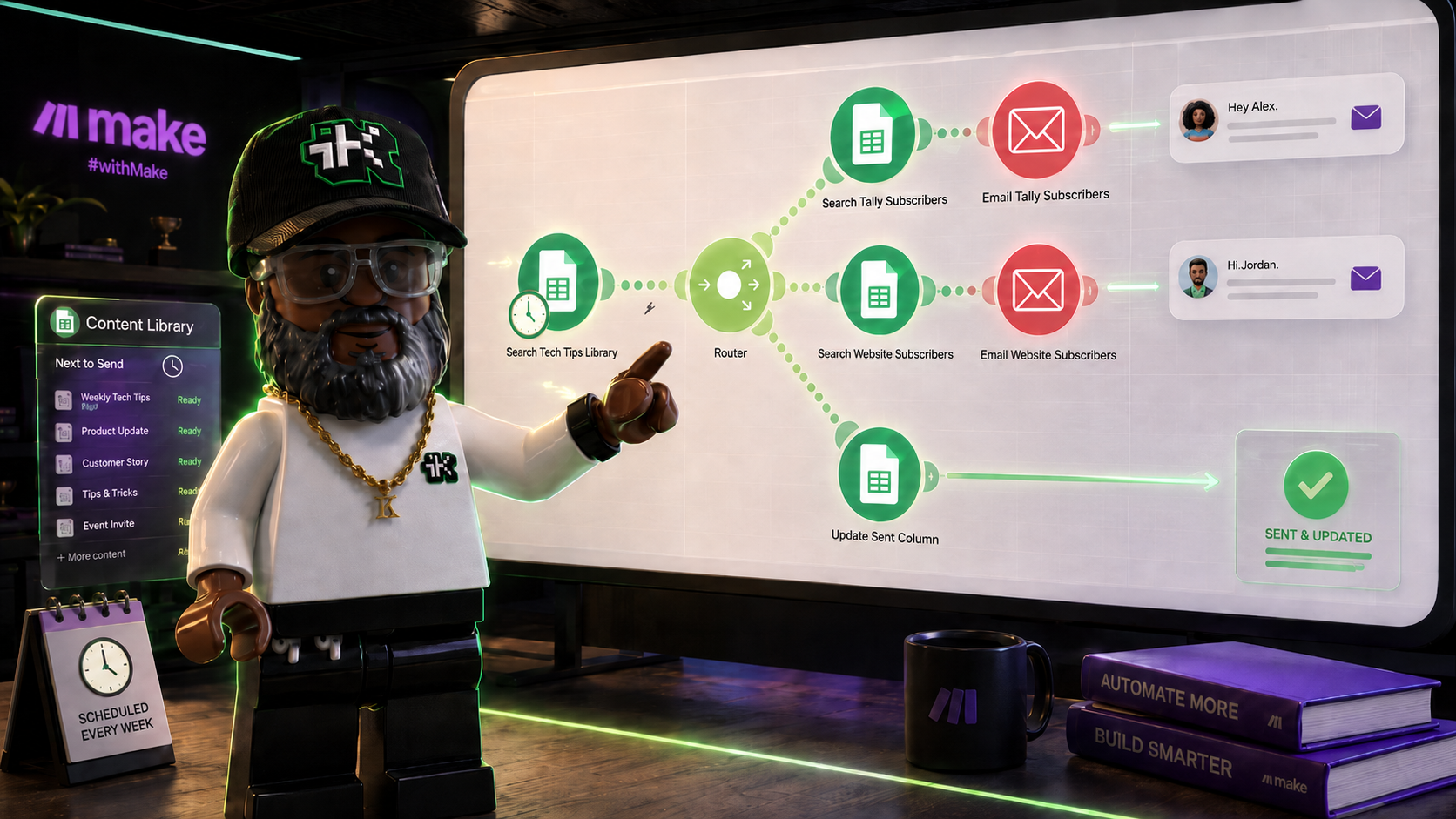
Make.com, formerly Integromat, is a visual automation platform that connects apps and moves data between them without writing code. You build a "scenario" by dragging modules onto a canvas and connecting them, then Make runs it on a schedule or whenever a trigger fires.
If you've read about n8n on this site, Make will feel familiar and different at once. Everything runs on Make's own servers, there's no self-hosted option, and there's no code node waiting for when you outgrow the visual builder. The canvas is the whole tool.
The quick answer
- What it is: a cloud automation platform, rebranded from Integromat in 2022 after Celonis acquired the company in 2020, that connects apps through a visual, no-code canvas.
- What you build: "scenarios," chains of "modules" (one action or step each) connected on a canvas, the same idea as n8n's workflows and nodes, or Zapier's Zaps and steps.
- How data moves: in "bundles," one bundle per record, a spreadsheet row, an incoming email, an order. A module that receives 10 bundles from upstream automatically runs 10 times, once per bundle, with no separate loop step required.
- How it branches: a Router module splits one scenario into multiple parallel paths, each with its own filter conditions.
- Where it runs: entirely in Make's cloud. There's no self-hosted version, unlike n8n.
- What it costs: priced by how much a scenario runs, not a flat per-seat fee. A free tier covers light use; paid plans scale with volume. Check Make's pricing page for current numbers, since plans change.
How a scenario works
Make calls each unit of data flowing through a scenario a bundle: one spreadsheet row, one incoming email, one line item. A module is a single step in that flow, a trigger, a search, an action, or a router. You connect modules left to right on the canvas, and bundles flow through them in order.
Where n8n needs an explicit Split In Batches node to loop over a list, Make loops automatically. Any module that receives multiple bundles from upstream re-runs once per bundle for everything after it. Search a spreadsheet and get 12 rows back, and the next module in line runs 12 times, no loop node required. It's a small difference, but it changes how a scenario reads on the canvas: fewer nodes, more implicit behavior to understand.
Branching works through a Router module: one input, multiple output paths, each with its own filter. A bundle gets evaluated against every branch's filter and sent down whichever ones it matches, so one scenario can email a list, update a spreadsheet, and log an event, all from the same upstream data, without forcing those three actions into one linear chain.
How it's different from n8n
The biggest difference is hosting. Make runs only in its own cloud, full stop. n8n offers both a cloud version and a self-hosted one, which matters if your data can't leave your own infrastructure. Make doesn't give you that option.
The second difference is code. Make doesn't have a general-purpose code node inside a scenario the way n8n does. If a built-in app module doesn't cover what you need, you reach for an HTTP request module instead of dropping in a script. That keeps every scenario visual, at the cost of the flexibility a code node gives a more technical builder.
Pricing works differently too. Make counts operations, essentially one credit per module execution, and bills against a monthly allowance rather than a flat per-user fee. That can be cheaper for a simple, low-volume scenario and more expensive for a long, complex one that runs often. Zapier's own breakdown of Make's pricing is a good place to see the tradeoff laid out.
Is it worth using
For a straightforward "when this happens in one app, do that in another" scenario, and for someone who wants to stay in a visual builder the entire time, yes. Make's app library covers thousands of services, and a scenario like the one in this post's companion tutorial takes an afternoon, not a dev sprint.
If your data has to stay on infrastructure you control, or a scenario is complex enough that a code node would simplify it, n8n is worth a look instead. Many builders end up using both, Make for quick app-to-app scenarios, n8n for anything that needs to be self-hosted or scripted.
Ready to build something real in it? This companion tutorial turns a spreadsheet content calendar into a scheduled, personalized email send, the exact kind of scenario Make is built for.
Sources:
businesswire.com: Integromat evolves to Make (2022) ·
prnewswire.com: Celonis acquires Integromat (2020) ·
make.com: pricing ·
zapier.com: Make.com pricing breakdown