ChatGPT Sites is a feature that turns a plain-English description into a working website or web app, with a live link you can share when it's done. You describe what you want in a chat, ChatGPT builds a preview, you ask for changes the same way you'd ask for anything else, and when it looks right you publish it. No code, no hosting setup.
It's currently in public beta, which means it's real and usable but still changing shape. Here's what it does, who has it, what people have built with it so far, and where it falls short.
How ChatGPT Sites works
The process has four steps, and all four happen inside a normal ChatGPT conversation.
- Describe the site. Say what you're building and who it's for. You can attach a logo, a style reference, or example images, and ChatGPT will work from them.
- Review the preview. ChatGPT builds a working draft and shows it to you inline, not as a mockup or a wireframe. It's a real, clickable version of the site.
- Ask for changes. Keep talking. "Make the header darker," "add a contact form," "the cart button should be top right." You're editing through conversation, the same way you'd edit any ChatGPT output.
- Publish. When it's ready, deploy it to a live URL. On paid workspace plans, you can share it with teammates or, where it's supported, connect a domain you already own.
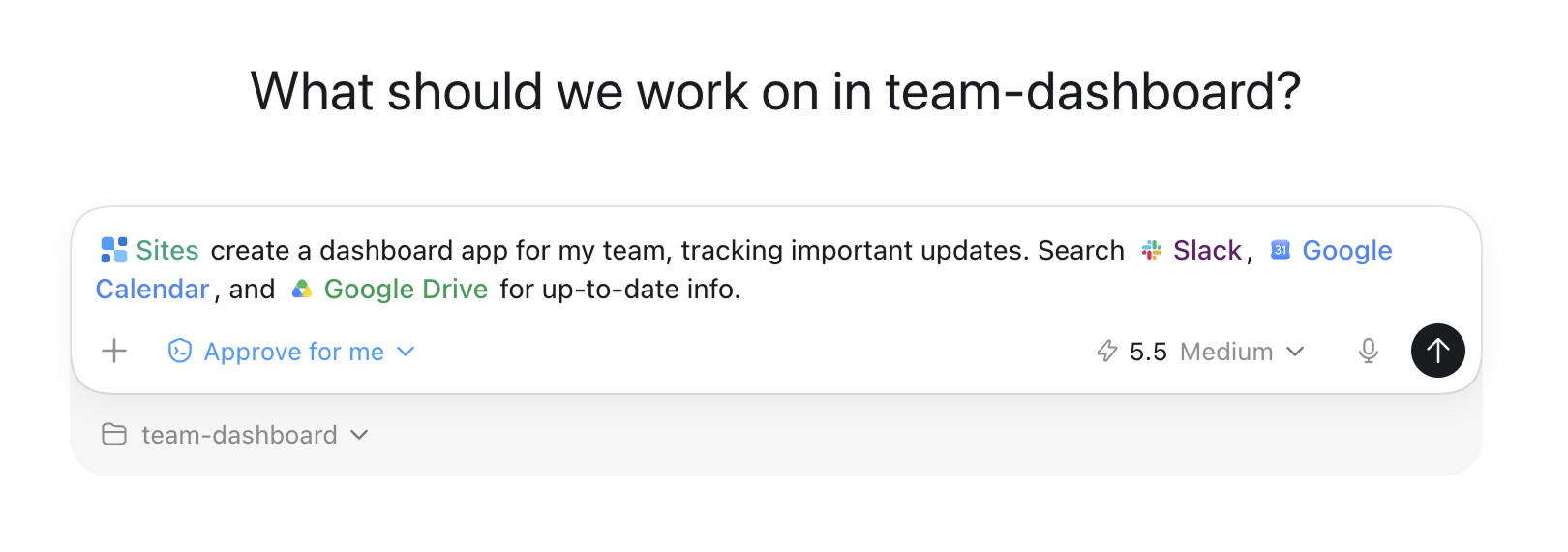
This screenshot from OpenAI's own developer docs shows what step 1 looks like in practice, describing a site to the composer before ChatGPT starts building:
Reviewers who've used it report the first draft usually takes 10 to 15 minutes to generate, depending on how much you're asking for. After that, edits are faster, since ChatGPT is revising something that already exists instead of starting over.
Who has access, and what it costs
ChatGPT Sites is included in your existing ChatGPT subscription. There's no separate fee for the feature itself, though a custom domain, if you use one, is its own cost through whatever registrar you already use.
It's available on ChatGPT Plus, Pro, Business, Enterprise, and Edu plans. It is not available on the Free plan or the lower-cost Go plan. Business and Enterprise rolled it out first, in June 2026, with Plus and Pro getting public beta access on July 9, and the EU, UK, and Switzerland following on July 20. Exact usage limits during the beta vary by plan and aren't published as a fixed number, so if you're close to a limit, check your account directly rather than assuming. For current plan pricing, OpenAI's pricing page is the source that won't go stale on you.
What Business and Enterprise get that Plus and Pro don't
This is where the sub-variants split, and it's worth naming them separately, because they change what you can build.
On a Plus or Pro account, you're building through the regular ChatGPT interface. You get a working site with a shareable link, and the core describe-preview-publish loop above.
On a Business or Enterprise workspace, Sites is also reachable through Codex, OpenAI's coding agent, using an @Sites mention, and it adds a few things aimed at IT and admin teams:
- Access control. An admin can enable Sites through role-based permissions, and choose whether a given site is visible to just its owner, the whole workspace, or a specific group.
- Custom domains, where supported, so a site can live at a domain your organization already owns instead of an OpenAI-hosted link. Enterprise workspaces don't support this yet.
- Persistent storage, using a small structured database and file storage under the hood, so a site can hold onto data (form submissions, saved settings, uploaded files) between visits instead of resetting.
- Public publishing off by default on Enterprise, meaning a site stays internal-only until someone turns that off.
If you're on Plus or Pro building something for yourself, most of this won't come up. If you're evaluating Sites for a team, it's the difference between a fun weekend project and something IT will sign off on.
What people are building with it
The official framing leans toward internal tools: dashboards, project trackers, launch calendars, onboarding pages. In practice, people are using it for public-facing sites too. OpenAI keeps its own gallery of examples built with Sites, and a few are worth looking at directly.
Field Day is a storefront for picnic supplies, built as a demo of what Sites can do for e-commerce. It has a full product catalog, filters, and a drag-and-drop basket builder where you pull items into an illustrated basket that fills up as you add to it.

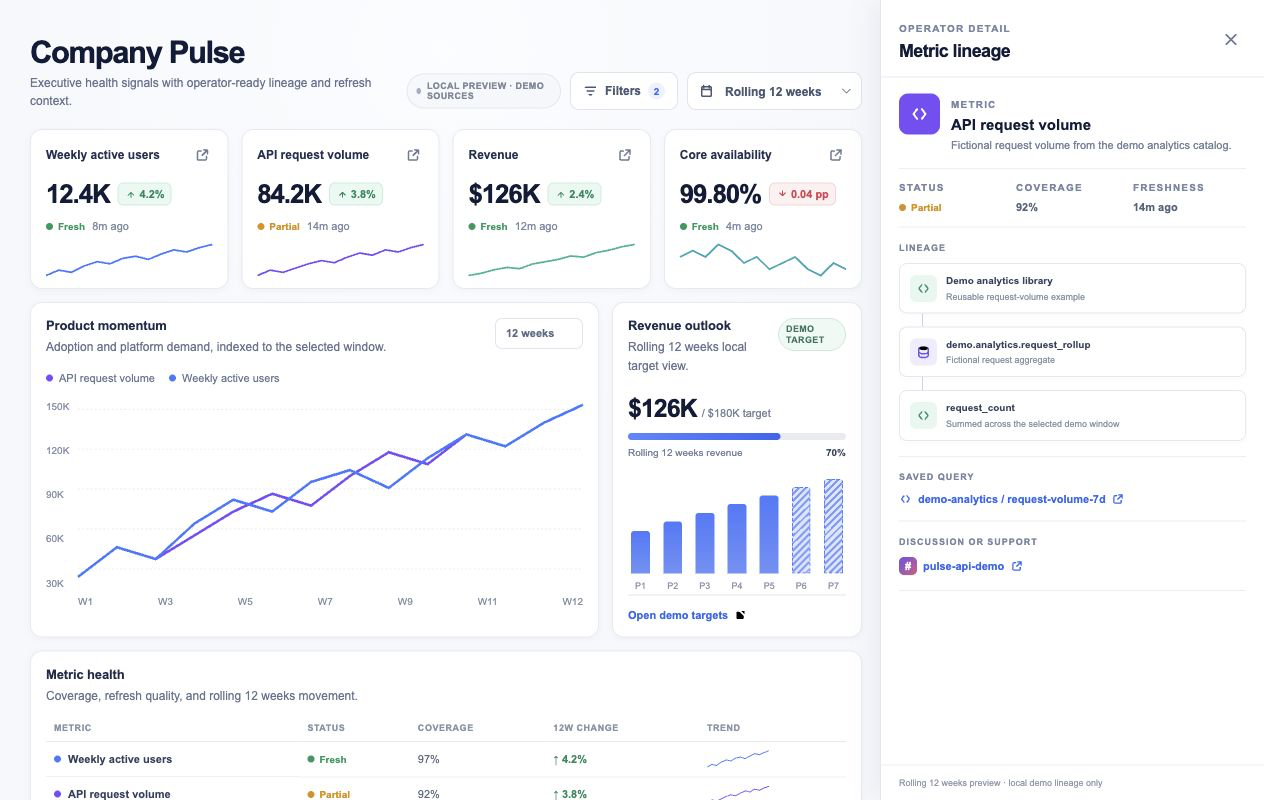
On the internal-tools side, Pulse Dashboard is closer to what the feature was originally built for: an executive KPI dashboard that pulls from a metrics warehouse, Slack, and spreadsheets, with trend charts, targets, and a drill-down view for checking where a number came from.
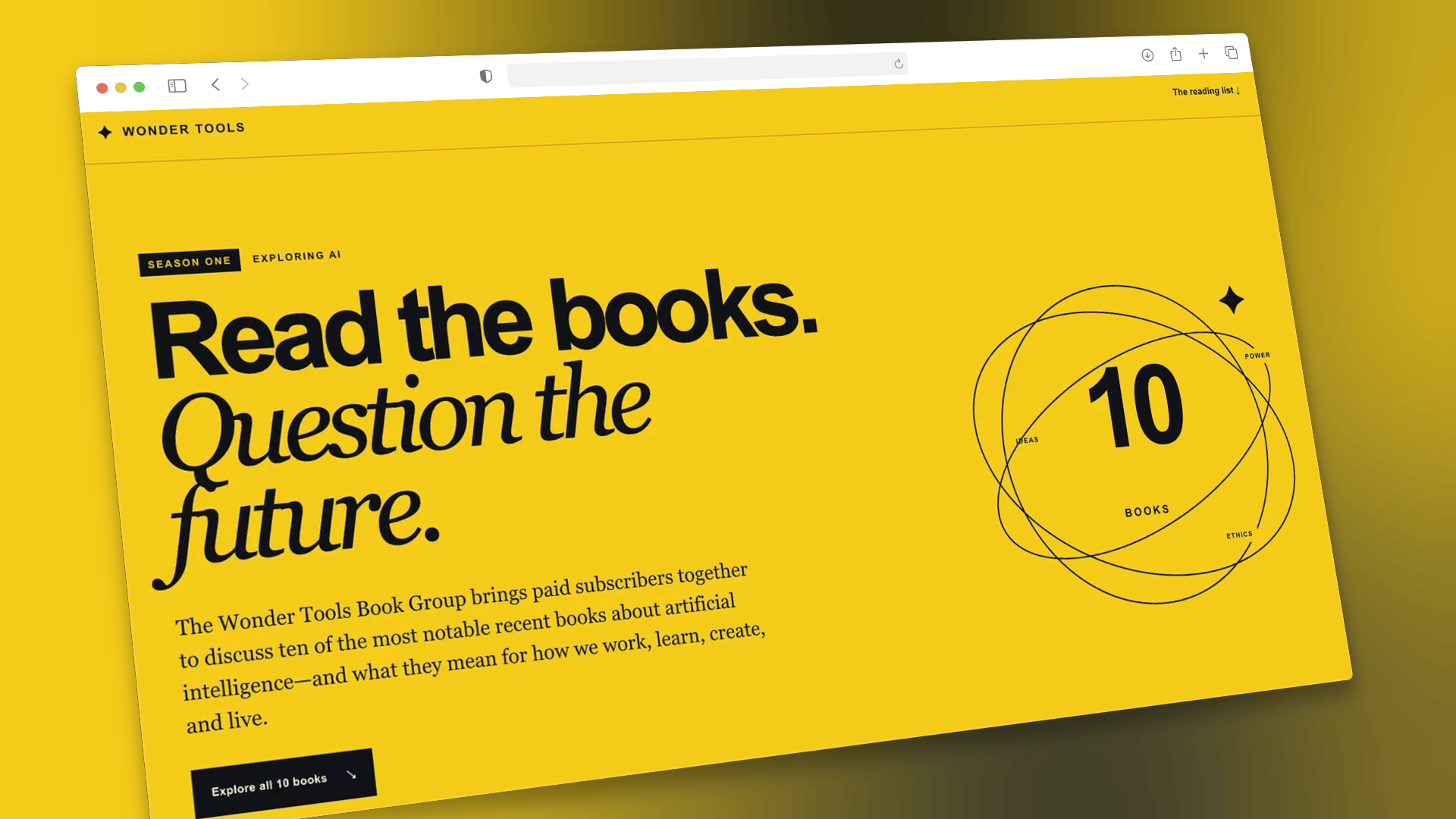
And it isn't only OpenAI's own demo projects. Newsletter writer Jeremy Caplan used Sites to build a handful of real pages for his own publication, including a sponsorship page and a book club landing page, and wrote up the process in detail.
Between the official examples and what regular users are building, the range covers storefronts, dashboards, project trackers, event pages, sign-up forms, and small browser games.
What it can't do yet
A few limits are worth knowing before you plan around this.
- No payment or health data. Sites can't process payment card information or protected health information directly. A demo storefront like Field Day can show a cart and checkout flow, but real payment processing has to route through an approved third-party processor.
- Nothing for anyone under 13. Sites can't be built to serve users under 13.
- No data residency options at launch, which matters if your organization has requirements about where data physically lives.
- Some technical setups aren't supported: certain frameworks, private networks, and background services fall outside what Sites can host right now.
- It's still beta. Features, limits, and plan access have already shifted twice since June. Treat anything here as accurate as of this post's publish date, not as a permanent spec.
How this compares to Claude's version
If you're choosing between tools rather than locked into ChatGPT already, Claude has a comparable feature through Cowork, and we've written about how to build a website with Claude Cowork if you want the walkthrough. The short version: both let you describe a site in plain language and get a working draft back, and the better fit usually comes down to which assistant you're already using day to day rather than a clear capability gap. For a broader side-by-side of what each platform offers, our ChatGPT Work vs. Claude Cowork comparison covers more ground than just site-building.
Sites also lands in an interesting spot next to Custom GPTs, which OpenAI is retiring. A Custom GPT was a way to package instructions and knowledge into something shareable inside ChatGPT. A Site is a way to package an actual working tool, with a real interface, that anyone with the link can open. For a lot of what people built Custom GPTs for internally, Sites is a closer match to what they were probably after in the first place.
Should you use it
If you need a project tracker, a dashboard, a sign-up page, or a small internal tool and you don't have a developer free to build one, Sites is worth trying before you pay for a separate no-code platform. The describe-and-iterate process is genuinely faster than a typical website builder's drag-and-drop editor once you know roughly what you want.
If you need something with real payment processing, user accounts across sessions, or compliance requirements around where data lives, you're not there yet. Build the internal tool or the simple public page with Sites. Save the storefront with real checkout for a platform built for that.
Sources:
help.openai.com/en/articles/20001339-creating-and-managing-chatgpt-sites ·
developers.openai.com/codex/sites ·
developers.openai.com/showcase/field-day ·
developers.openai.com/showcase/pulse-dashboard ·
developers.openai.com/showcase/e-commerce-website ·
Jeremy Caplan, Wonder Tools, "ChatGPT Sites" ·
Fast Company, "ChatGPT Sites makes building a website feel like making a Google Doc" ·
chatgpt.com/pricing