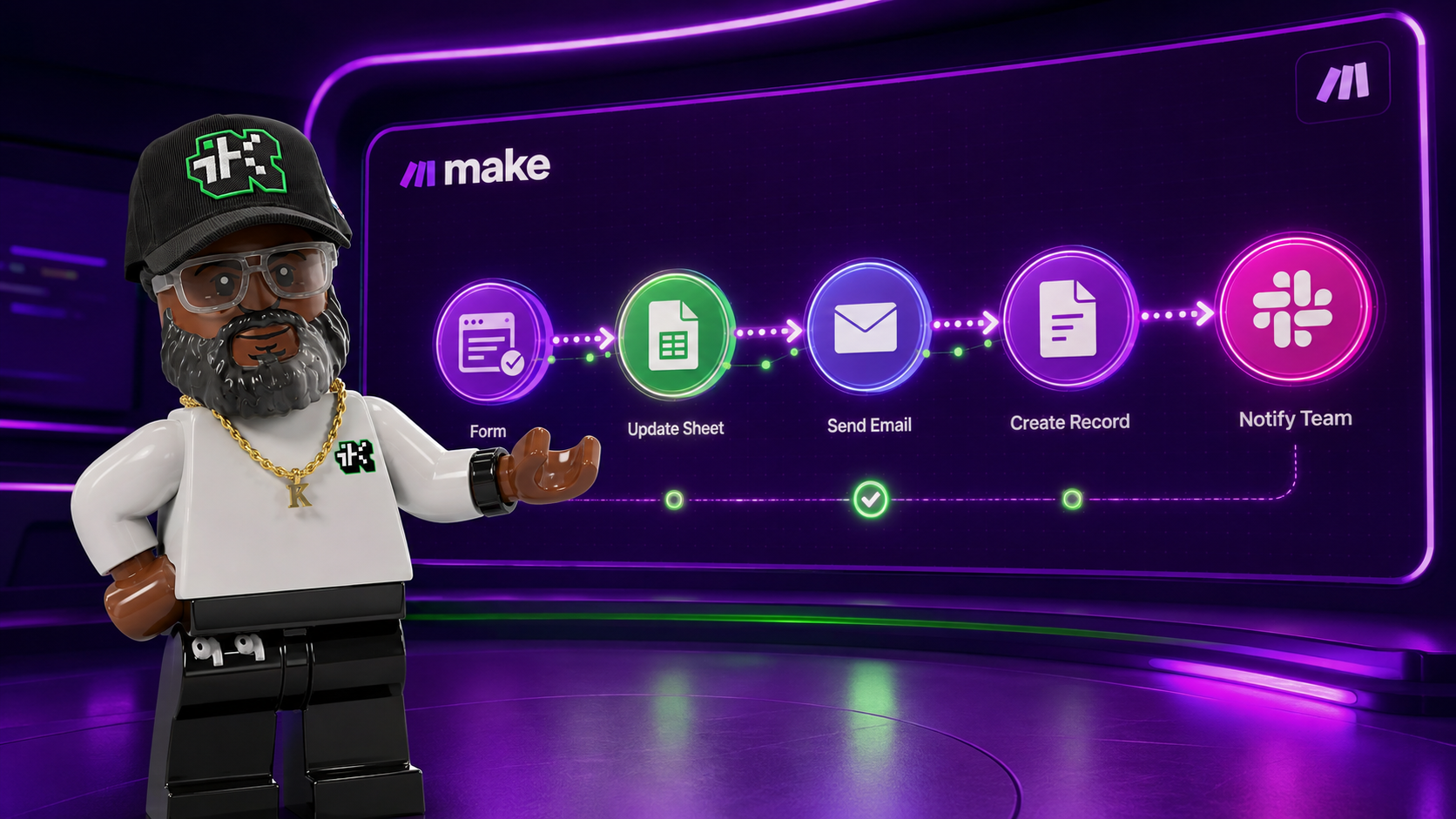
n8n and Make are both visual workflow automation platforms, and both now ship a dedicated way to build an AI agent instead of a fixed, step-by-step flow. n8n does it with an AI Agent node you drop into a workflow. Make does it with a separate AI Agents feature that runs its own reasoning inside a scenario. The tools look similar on a canvas. How each one decides what to do next, what it costs to run, and how you set it up on Windows or Mac are different enough to matter.
This post breaks down n8n vs Make specifically for building AI agents: how the agent tool works on each platform, what tier you need to run one, and how setup compares. If you want the wider automation-platform picture first, I covered what n8n is beyond the agent piece and what Make.com does in their own posts.
The quick answer
- n8n's AI Agent node connects a chat model, meaning you supply your own OpenAI, Anthropic, or other provider connection (or use one of n8n's limited free default models, more on that below), to one or more tools, and the agent decides which tool to call. It's free to self-host and drops into JavaScript or Python the moment a built-in node runs short.
- Make's AI Agents run inside its regular visual canvas with a Reasoning panel that shows every decision the agent makes, step by step, on the canvas itself. It's cloud-only, available on every Make plan including Free, and needs no install at all.
- If you want to self-host, keep agent data on your own server, or drop into raw code, n8n is the stronger fit. If you want a fully managed setup with visible reasoning and nothing to run or patch yourself, Make is the stronger fit.
How n8n builds an AI agent
n8n's AI Agent node connects a chat model to one or more tools, a tool being an add-on resource the agent can call for information or an action: a web search, a database lookup, or even another n8n workflow. You wire the chat model in, wire at least one tool in, and the node decides at runtime which tool a given request needs. As of version 1.82.0, every AI Agent node runs as what n8n calls a Tools Agent, the one agent type the platform is standardizing on; the older agent-type setting is being phased out ahead of n8n 3.0.

The chat model itself usually isn't included for free. You connect your own OpenAI, Anthropic, Google, or other provider account, and that provider bills you directly for what the agent uses, separate from your n8n plan. n8n Cloud plans also come with a monthly allowance of AI credits, and those credits let you run certain eligible default models with no API key of your own to set up. Coverage is limited to specific models, and n8n's own community forum has threads where an older node version worked against those credits while a newer one returned an "endpoint not supported" error, so treat the free-credit path as a way to test the node, not a guarantee for a production agent.
When a built-in tool doesn't cover what you need, you drop a Code node into the same workflow and write JavaScript or Python directly, or connect a separate n8n workflow as a callable tool. I used exactly that setup in an AI feedback analyzer built in n8n with the Claude API, where a webhook triggers the workflow, Claude reads open-ended feedback and pulls out themes and action items, and a Code node parses the result before n8n writes it to a spreadsheet. I also walked through turning a folder of text files into a queryable vector database in n8n, which covers the retrieval half a lot of real agents end up needing.
How Make builds an AI agent
Make's AI Agents sit inside the same visual canvas as a regular scenario, and combine that fixed logic with a decision the agent makes on its own. Instead of every module firing in a set order, an agent reads the context you give it, decides what to do next, and triggers the workflow steps that decision calls for.
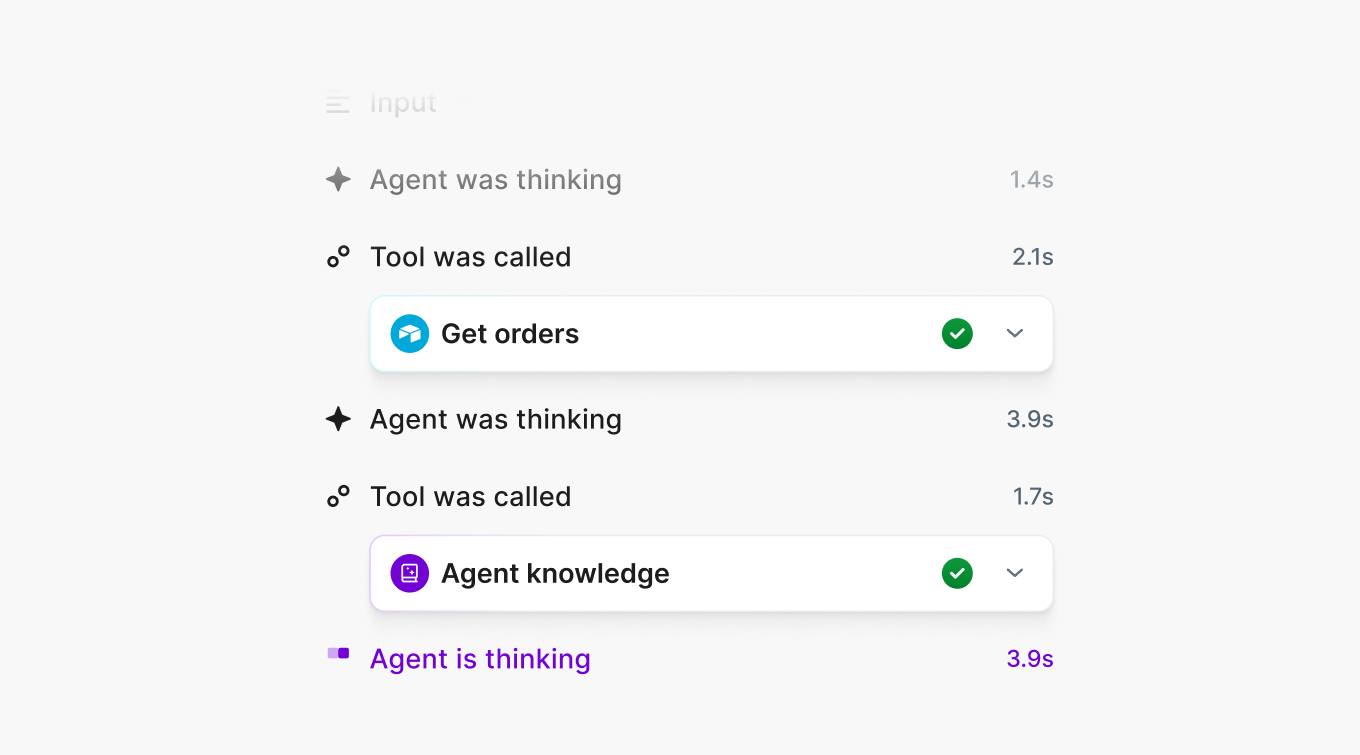
The part Make leans on hardest is the Reasoning panel: a running, visible log of every decision the agent makes, right on the canvas, next to the modules it's calling. Make's own description of the feature is direct about the goal: "Nothing runs as a hidden black box." That answers the usual complaint about agent tools, that you can't see why the thing did what it did, without you having to dig through execution logs after the fact. Make AI Agents run across the platform's full library of 3,000+ connected apps and are available on every plan, including Free, not held back for a paid tier.
Make already has an established pattern for scheduled, rule-based scenarios that an agent can slot into. I broke one down step by step in a Make scenario that automates scheduled content emails, and what Make.com does covers the rest of the platform if you haven't touched it yet. An AI Agent drops into that same canvas as one more piece, not a separate product you have to learn from scratch.
n8n vs Make for AI agents: the core difference
Both platforms answer the same question, deciding what to do rather than following a fixed script, in different ways. n8n's Tools Agent picks from tools you've wired in yourself, drops into raw code the moment a built-in node runs short, and self-hosts if you want the agent's data to never leave your own server. Make's AI Agents stay inside the visual canvas from start to finish. There's no code node to fall back to, but there's a Reasoning panel showing the decision trail live, and n8n doesn't have a direct match for that on the canvas itself.
Make vs n8n, for this specific question, comes down to how much you want to see versus how much you want to touch. Make puts the agent's reasoning in front of you on the canvas. n8n hands you the code path the moment the visual layer stops being enough.
Make vs n8n pricing for building AI agents
Neither platform charges separately for the agent-building feature itself. What changes the bill is execution volume and, for n8n, whether you self-host. Figures below are current as of when this was written and pulled directly from each platform's own pricing page; check n8n's and Make's pages before you commit, since both change these regularly.
n8n's plans
From n8n.io/pricing:
- Community Edition: free, self-hosted, unlimited workflow executions, runs on your own server.
- Starter: €20/month billed annually, 2,500 monthly workflow executions, 5 concurrent executions, 2,300 AI credits/month.
- Pro: €50/month billed annually, 10,000 monthly executions, 20 concurrent executions, up to 13,700 AI credits/month.
- Business: €667/month, 40,000 monthly executions, self-hosted-only deployment, SSO and Git version control included.
- Enterprise: custom pricing, 200+ concurrent executions, dedicated support with an SLA.
Make's plans
From make.com/en/pricing:
- Free: $0/month, 1,000 operations, 2 active scenarios, a 15-minute minimum interval between scheduled runs.
- Core: $12/month for 10,000 operations, unlimited active scenarios, a 1-minute minimum interval, access to Make's API.
- Pro: $21/month for 10,000 operations, priority execution during peak times, custom variables.
- Teams: $38/month for 10,000 operations, role-based permissions, shareable scenario templates.
- Enterprise: custom pricing, 24/7 priority support, custom functions.
Make meters usage in operations, and its own help documentation notes that advanced AI features can cost more than the 1 operation a standard module action uses, so an AI Agent scenario tends to burn through a plan's allowance faster than a simple data-sync scenario would. n8n's pricing runs in euros, Make's in dollars; keep that in mind if you're lining the two up side by side.
Installing n8n vs Make on Windows and Mac
Make needs no install anywhere. It's a browser-based, cloud-only platform, and Windows and Mac work identically: open make.com, log in, build. The one exception is Make's on-premise agent, a small piece of software you install only when a scenario needs to reach a database or internal app sitting behind your firewall. That agent is a bridge, letting Make's cloud platform reach into your network for that one connection. Make's core platform keeps running in the cloud regardless of whether you install it.
n8n splits by which version you're running. n8n Cloud needs zero install, the same as Make: open your browser on Windows or Mac and start building. Self-hosting is where the operating system matters. On both Windows and Mac, the common route is Docker, a tool that packages n8n with everything it needs into one container, so you install Docker Desktop once and pull n8n's image through it. The alternative is installing n8n directly through npm, which needs Node.js installed first and behaves the same way on both operating systems since n8n itself is a Node.js application, fair-code licensed and open on GitHub.
Where n8n pulls ahead for building AI agents
n8n pulls ahead when the agent needs to do something no built-in tool covers, since you can drop into JavaScript or Python in the same workflow instead of waiting on a new integration to ship. It also pulls ahead any time the agent touches data under a real compliance requirement: self-host the Community Edition and that data never leaves your own infrastructure, which matters for health records, financial data, or anything else you can't hand to a third-party server.
Where Make pulls ahead for building AI agents
Make pulls ahead when you want to see why the agent did what it did without reading execution logs afterward; the Reasoning panel puts that decision trail on the canvas as it happens. It also pulls ahead on setup speed. There's no server to run, no Docker Desktop to install, and the AI Agents feature sits on every plan including the free one, not gated behind a higher tier.
n8n vs Make for AI agents: which one to pick
Pick n8n if you're comfortable with, or want to learn, some technical setup, want the option to self-host for data control, and expect the agent's workflow to eventually need custom code. Start with the free Community Edition if you're willing to run a server, or n8n Cloud's Starter plan if you'd rather not.
Pick Make if you want an AI agent running today with no server to manage, want to see its reasoning without digging into logs, and are fine keeping everything in Make's cloud. The Free plan is enough to test the AI Agents feature before you commit to a paid tier.
Many people building real automations end up running both eventually: an n8n workflow for anything self-hosted or code-heavy, a Make scenario for anything that needs to go live fast with visible reasoning built in. Neither platform requires you to give up the other.
Sources:
n8n.io/pricing ·
docs.n8n.io/integrations/builtin/cluster-nodes/root-nodes/n8n-nodes-langchain.agent ·
community.n8n.io/t/error-message-while-using-n8n-open-ai-api-credit/224242 ·
github.com/n8n-io/n8n ·
make.com/en/pricing ·
make.com/en/ai-agents ·
help.make.com/make-ai-agents-the-next-step-in-automation ·
help.make.com/on-premise-agent